What is a Mechanical CAD Course, and Why is it Essential for Your Career?
Mechanical Computer-Aided Design (CAD) is a great software tool used by the engineers and designers around the world to create 2D drawings and 3D models. They can modify these drawings and models to produce perfect engineering designs. This software is of immense use to them, as it helps them to produce designs that can be transformed into the real world and can be simulated for stresses. Also, the designed parts can be viewed as assemblies, and various other features can be added to the design created by them. They can also modify their designs created by them and can also add various features to designs created by other engineers and designers. In order to master this software, you must go for mechanical CAD classes in Pune
Studying for a mechanical CAD course in Pune helps in numerous ways when you are looking for a career in design & drafting. It helps in having a job in the large number of manufacturing units located in and around Pune, of automobiles and aerospace.
Many manufacturing, automotive, and aerospace industries in and around Maharashtra are looking for designers who can do design automation and have the ability to do precise product visualization.
You will be able to create parts of any complexity with precision and design with utmost accuracy within the boundaries of the international standard for manufacturing parts. Thus, you will be able to minimize the excess material and errors while making a part.
- Career Versatility: The Mechanical CAD training will see you through to a role as a product design engineer, QA analyst, tool designer, or CAD draftsman and also many other fields.
- Future-Ready Skillset: we have for you a hands-on introduction to today’s best engineering design software, and at the same time we introduce you to what is up and coming in the field, like 3D printing, rapid prototyping, and digital twin modeling, and by the end of it all, you will be future-ready to jump right in the design and development industry.
What Will You Learn in the Mechanical CAD Program in Pune?
The Mechanical CAD training in Pune at SevenMentor is designed to convert the student’s academic knowledge into practical applications of Mechanical CAD design with a hands-on approach of learning and real-life examples. It helps the student develop spatial visualization and apply knowledge in real-life mechanical design scenarios with the aid of the best mechanical design software to create the geometric models, 2D drawings, and 3D product designs.
At SevenMentor Pune, the Mechanical CAD training program has well-designed course content. It makes sure students get practical knowledge and get transformed into skilled mechanical CAD professionals after completing the mechanical CAD training program in Pune. The core areas of mechanical CAD are:
- Learn advanced geometric modeling to create complex 3D parts, surfaces, and mechanical assemblies from scratch.
- 2D Drafting and Technical Documentation: Create blueprints for production that are precise and include accurate Geometric dimensioning and tolerancing (GD&T) to ensure that manufactured parts can be produced accurately and fit together as intended.
- Simulation-Based Design Principles: Learn how to test designs, their behavior under load, and select correct materials to create the design you need.
- Simulation & Design Principles: You will learn how to test your designs virtually by doing stress tests, load tests, etc. and also learn material optimization.
Why Choose SevenMentor for the Best Mechanical CAD Classes in Pune?
SevenMentor is the best destination for learning and enhancing mechanical CAD skills, as we provide the best mechanical CAD classes in Pune. Our method of teaching includes application of practical concepts. We at SevenMentor provide the best mechanical CAD online training and are committed to delivering the training that would enable the candidate to get the best job in the industry. Our courses are designed in such a way that a candidate can learn designing and modeling in a short span of time. We provide our candidates with the best training and placement, which is at par with the global standards for engineers.
We have been consistently recognized as a leader in the Mechanical CAD Online Training and the Best Mechanical CAD Classes in Pune. For us, the primary goal of our Mechanical CAD training is to provide participants with enough practical skills and enable them to apply their knowledge in real-world scenarios, thus preparing them to face engineering challenges of the real world, and also to make them industry-ready.
Our Experienced Faculty for Mechanical CAD: Our entire team of faculty members consists of mechanical engineers who have years of industrial experience and are also well-trained CAD professionals. They bring with them not only the knowledge of practical mechanical design but also the application of different mechanical CAD software. We also provide the option of customized training programs as per the candidate’s need.
- High-End Infrastructure: Our state-of-the-art computing lab is equipped with latest software and high-performance computers to provide our students with practical knowledge of mechanical CAD.
- Learning to get the best out of Mechanical CAD is a process that can be tailored to the individual. We run our mechanical CAD Online Training sessions as interactive sessions with instructors at the front, however we also realize that everyone has different needs, and we can provide training that is specifically designed to meet the needs of the individual or organization. Whether you are looking for mechanical CAD training in Pune or a number of other locations around India, we are able to provide the expertise and flexible learning options that you require.
- End-to-End Placement Support: Our team provides complete career guidance to all students. We conduct resume building sessions & mock technical interviews, and also assist in placements for our candidates to get them placed in best possible company.Here are the next 3 sections for your SevenMentor Mechanical CAD landing page. These continue with the question-based headings, natural language, 250-word or so length and with all the relevant SEO keywords bolded as before.
How Can a Mechanical CAD Certification in Pune Elevate Your Professional Credibility?
In the crowded job market, obtaining an industry-recognized Mechanical CAD certification in Pune enables any individual to instantly show-off their skills and verify their knowledge of working with global drafting standards. As opposed to a ‘Self Taught’ individual, who may know the ways of using a software package, a certified professional will have knowledge of geometric construction, working within accepted digital design workflows and verified skills in creating engineering drawings of the highest standard using industry standard mechanical CAD (computer-aided design) software packages.
Professional certification in mechanical engineering design using computer-aided drafting tools from SevenMentor gives you following benefits:
A professional Mechanical CAD Certification is recognized globally, which in turn opens up career opportunities all around the world and gives you the assurance of employment.
- Certification boosts your Resume: Verified mechanical CAD certification helps you score higher in job interviews. Hence you can look forward to cracking the toughest jobs in Design, Drafting & Quality Assurance roles.
- Ability to demonstrate problem-solving skills for real-world mechanical design problems. It is verified by the certification process how a student of mechanical engineering uses tools of mechanical CAD to create a solution to a design problem by developing a structural assembly and an optimum part for its manufacturing.
- Higher Salary: In the engineering industry, a Mechanical CAD Design Course for mechanical design, such as parts, 2D drawings, and 3D models, is amongst the high-paying jobs today, and there is a constant demand for skilled mechanical designers. Thus, you shall earn a much higher salary for starting your job and also get promoted faster in your career.
What Makes the Mechanical CAD Online Training Convenient for Working Professionals?
The challenge of balancing career goals with prior commitments is not lost on us. To address the needs of working engineers, students, and individuals worldwide, we offer the mechanical CAD online training program, which is of the same intensity, and study materials are imparted with the same amount of one-on-one guidance and hands-on practice as our physical classes and are completely online!
Our interactive digital learning platform is built around high-engagement features to maximize your educational investment:
- Live Instructor-Led Classrooms: Our online mechanical CAD training classes are held in real time by experienced instructors. You get to interact with them in real time, and can ask questions, share your screen for troubleshooting, get feedback on your assignments, etc.
- 24/7 Access to Recorded Sessions: With our state-of-the-art online learning platform, you can revisit complex software demos and classes anytime to go through the material as many times as you want.
- Virtual Assignments and Group Projects: Practice real-world engineering design and development scenarios with your peers from around the world as you work on assigned tasks to deliver to your instructors. Many of our projects are designed for working in groups, as is often the case in large multinationals with teams located all over the globe.
- Flexible Study Timings: Choose from our evening or weekend batches to continue to work on your career while you study to enhance your skills to design products using latest product visualization and design automation tools.
How Does Corporate Mechanical CAD Training Improve Team Productivity and Innovation?
For companies in the engineering space, design errors and slow production can really affect a company’s bottom line. Our corporate program is highly customizable and designed around your engineering goals, methods, and workflows. We teach a single design standard to a company’s engineers in a corporate setting, and together they learn software and advanced automation techniques to get their projects done much faster.
Business value from investing in the engineering team’s CAD upskilling as a corporate program.
We help organizations adopt uniform design workflows, such as adhering to a set of common design standards, for their designers to work smoothly in cross-functional settings and to reduce errors that occur in version control.
- Faster Product Development: Identifying potential failures early on in the design process using simulation-based design. This will save you time and money in prototyping.
- Customized Curriculum Modules: Our expert engineers develop modules that are suited to your organization’s needs, focusing on the leading-edge CAD tools, designs, and applications that are at the heart of your business. This is particularly effective for companies operating in niche markets such as the automotive, aerospace or equipment manufacturing industries.
- Minimize Operational Disruptions: Our training can be taken at any time of day, 24/7/365. We can also customize our training to meet your team’s schedule. We offer on-site training as well as private virtual bootcamps. Your team will be able to continue to be productive at peak levels throughout the training.
How Does SevenMentor Directly Address Common Industry Training Challenges?
The best way to learn mechanical CAD is through mechanical CAD training in Pune by the best institute, SevenMentor, for engineering students. For students who are confused about whether to join a training institute for learning mechanical CAD, here are some of the typical concerns students have regarding the placement, the study material, and the class timing of various institutes. SevenMentor Mechanical CAD training institute in Pune has proactively worked on changing the various training models that have been adopted by various institutes for imparting training to the students for learning Mechanical CAD and has made them student-centric by turning the typical drawbacks of the industry into advantages of the students.
We have given due consideration to all the typical problems and thus have ensured that SevenMentor is well equipped to resolve them and give the students the best training possible through the following commitments made by us:
- Dedicated Core Engineering Placements : Many institutes maintain references with companies that hire in a large number of design roles. Our Placement Cell is focused at securing Core Engineering Placements at Automotive & Manufacturing Units (OEMs) spread across Industrial Hubs in and around Pune for all our students to be placed in Design Roles. Our Mechanical CAD training courses in Pune also help to overcome another basic obstacle that faces the student with very basic knowledge of CAD software and lack of understanding on advanced concepts like how to create a part/drawing with advanced features and how to apply geometric dimensioning and tolerancing (GD&T), to name a few. Our instructors will teach students design automation tools required by a senior engineer in an organization. Our practical training projects are assigned to students from Day 1 of mechanical CAD training courses in Pune; thus, the students will be able to complete design projects of immense value in the final weeks of their Mechanical CAD course rather than getting stuck in last-minute pressure of making a portfolio of projects.
- Guaranteed Learning Formats: If you are signing up for our Mechanical CAD classes in Pune, then we promise that you will be attending strictly a physical or an offline class, and there will be absolutely no surprises when we suddenly switch to a hybrid model to make things easier for our instructors.
- Fair Charges and Structured Fees: SevenMentor provides the Mechanical CAD training in Pune with affordable charges to its students. The fee of our program is very reasonable and can be paid in installments to keep your outgoings low. Our engineering training program is designed to provide the best possible learning environment for each student.
Got Questions? Here Are Some FAQs
1. What is a Mechanical CAD Course?
In this Mechanical CAD Course you will learn to create 2D drawings and 3D mechanical models using some of the world’s leading design software.
2. Who can join a Mechanical CAD Course in Pune?
Students from Mechanical Engineering backgrounds as well as Diploma holders, ITI pass outs and even working professionals can join the course to upgrade their design skills.
3. Which software is covered in a Mechanical CAD Course?
The course makes use of 2D as well as 3D design software used for creating designs for parts, surfaces and mechanical assemblies. Some of the software used in this course are AutoCAD for 2D drafting, SolidWorks, CATIA, Creo and NX CAD for 3D modeling and designing.
4. What are the career opportunities after completing a Mechanical CAD Course?
On completion of the course, one can get placement as a CAD designer, design engineer, mechanical draftsman, and product design engineer.
5. Does Mechanical CAD training in Pune comes with job placement assistance?
In addition to mechanical CAD training, many centers in Pune also offer placement, mock interviews, CV making, and job assistance to ensure that students are placed in good jobs.
 Accelerate Your Career with Professional AutoCAD Mechanical Training.
 Gain Expertise in 2D Drafting, 3D Modeling, and CAD Techniques for High-Precision Design.
 Transform Your Technical Skills with SevenMentor’s Comprehensive AutoCAD Mechanical Certification Program.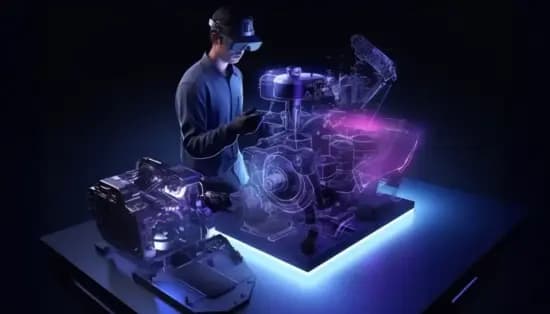
 2D AutoCAD Basic Drawing Tools (Line, Circle, Rectangle, Arc)Essential tools for creating fundamental geometric shapes and drafting basic 2D designs.
 Modify Commands (Move, Copy, Rotate, Scale, Mirror, Offset)Commands used to edit, reposition, and duplicate objects efficiently within a drawing.
 Layers Management (Creating, Editing, Freezing, Locking)Organizing drawing elements by assigning them to layers for better visibility and control.
 Annotation Tools (Text, Dimensions, Leaders)Features used to add textual information, measurements, and leader lines for clear documentation.
 Hatching and Gradient Fills Techniques for applying patterns and color gradients to enclosed areas for visual distinction.
 Blocks and AttributesCreating reusable symbols and adding dynamic text or data fields to objects for efficient design.
 Object Snaps (OSNAP) and TrackingPrecision tools that assist in accurately selecting and aligning drawing elements.
 Polyline and Spline EditingModifying complex linear and curved paths to achieve precise shape control.
 Trim and Extend CommandsTools for adjusting line lengths by cutting or extending them to meet other objects.
 Array (Rectangular, Path, Polar)Automated duplication of objects in structured patterns along grids, paths, or circular arrangements.